MacBook Pro 15″ Touch Bar 2019 (A1990)
MacBook Pro 15″ Touch Bar 2019 (A1990) Battery Replacement
Battery Replacement for the MacBook Pro 15″ Touch Bar 2019 (A1990) at Apple Lab, Dhanmondi — how it works, what it costs and how long it takes.
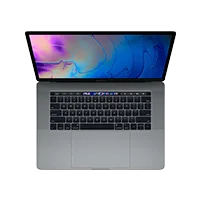

MacBook Pro 15″ Touch Bar 2019 (A1990) battery replacement in Dhaka
If your MacBook Pro 15″ Touch Bar 2019 (A1990) drains far faster than it used to, shuts down at 20–30 %, feels warm while charging, or the case is starting to bulge, the battery has reached the end of its life. A worn battery can also make the device throttle performance to protect itself.
What we do
We fit a new high-capacity cell, replace the adhesive properly so the device stays sealed, and run a charge–discharge test before hand-over. Where the model reports battery health, the new cell shows 100 % and the service indicator is reset.
Price, time and warranty
Battery replacement is priced after a free diagnosis and usually takes under an hour for the MacBook Pro 15″ Touch Bar 2019 (A1990). The new battery is covered by our 90-day warranty.
Swollen battery?
Stop charging and bring the device in as soon as possible — a swollen cell can crack the screen or damage the logic board.
Frequently asked questions
How long does Battery Replacement take on the MacBook Pro 15″ Touch Bar 2019 (A1990)?
Most Battery Replacement jobs on the MacBook Pro 15″ Touch Bar 2019 (A1990) are completed the same day. Board-level work can take 1–3 days depending on parts; we tell you the timeline with the quote.
Is the diagnosis really free?
Yes. We diagnose the MacBook Pro 15″ Touch Bar 2019 (A1990) for free and you approve a fixed quote before any repair. If we cannot fix it, you pay nothing.
What warranty do I get?
Every repair at Apple Lab is covered by a 90-day warranty on parts and labour.